Setup takes about two minutes. You create an account, add your website, and BrandRobin finds your brand, competitor and industry keywords for you. Your first mentions show up in the Feed right away.
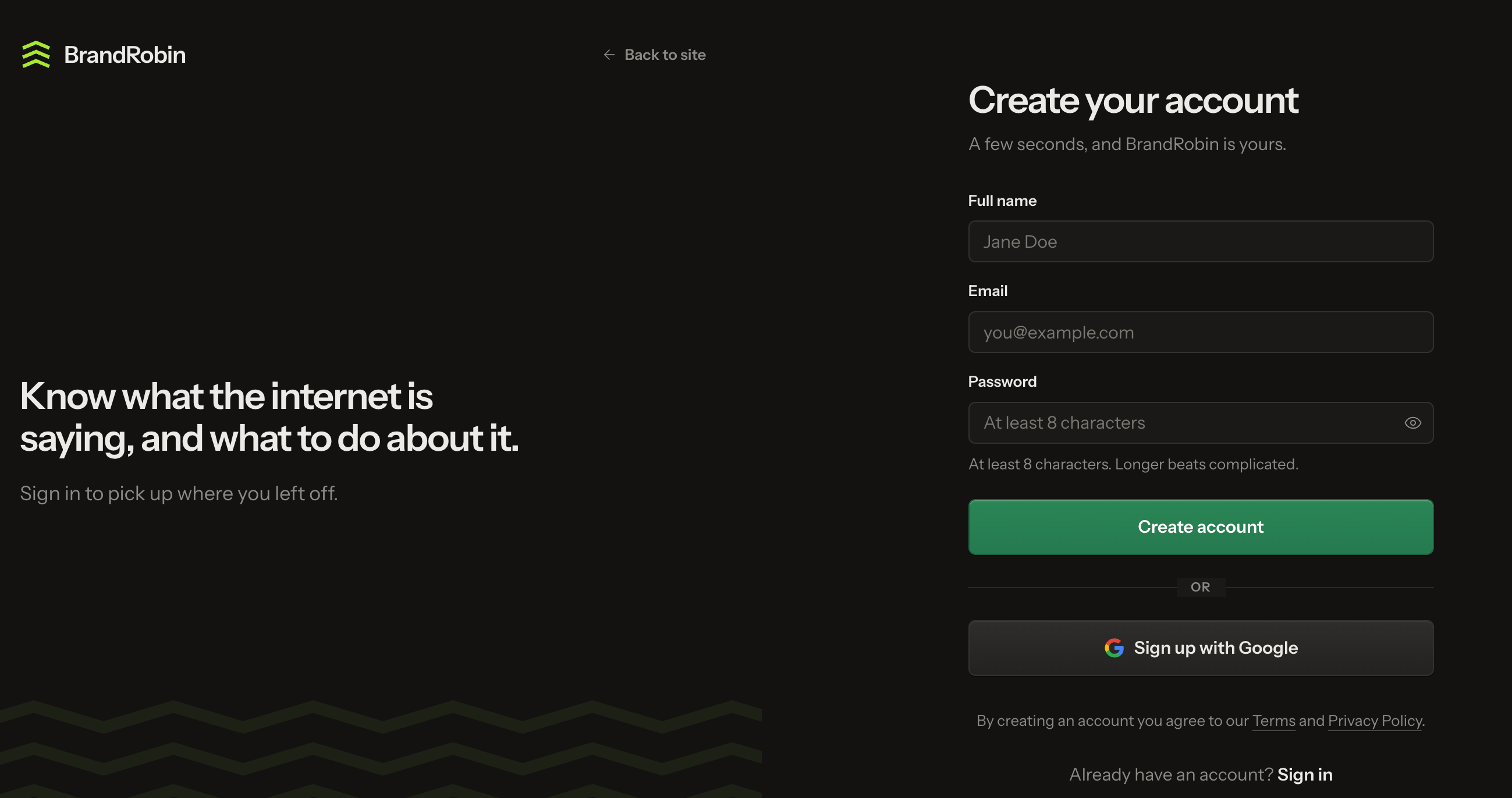
Enter your full name, email and a password (at least 8 characters).
Click Create account.
You can also click Sign up with Google to skip the form.
Step 2: Add your website
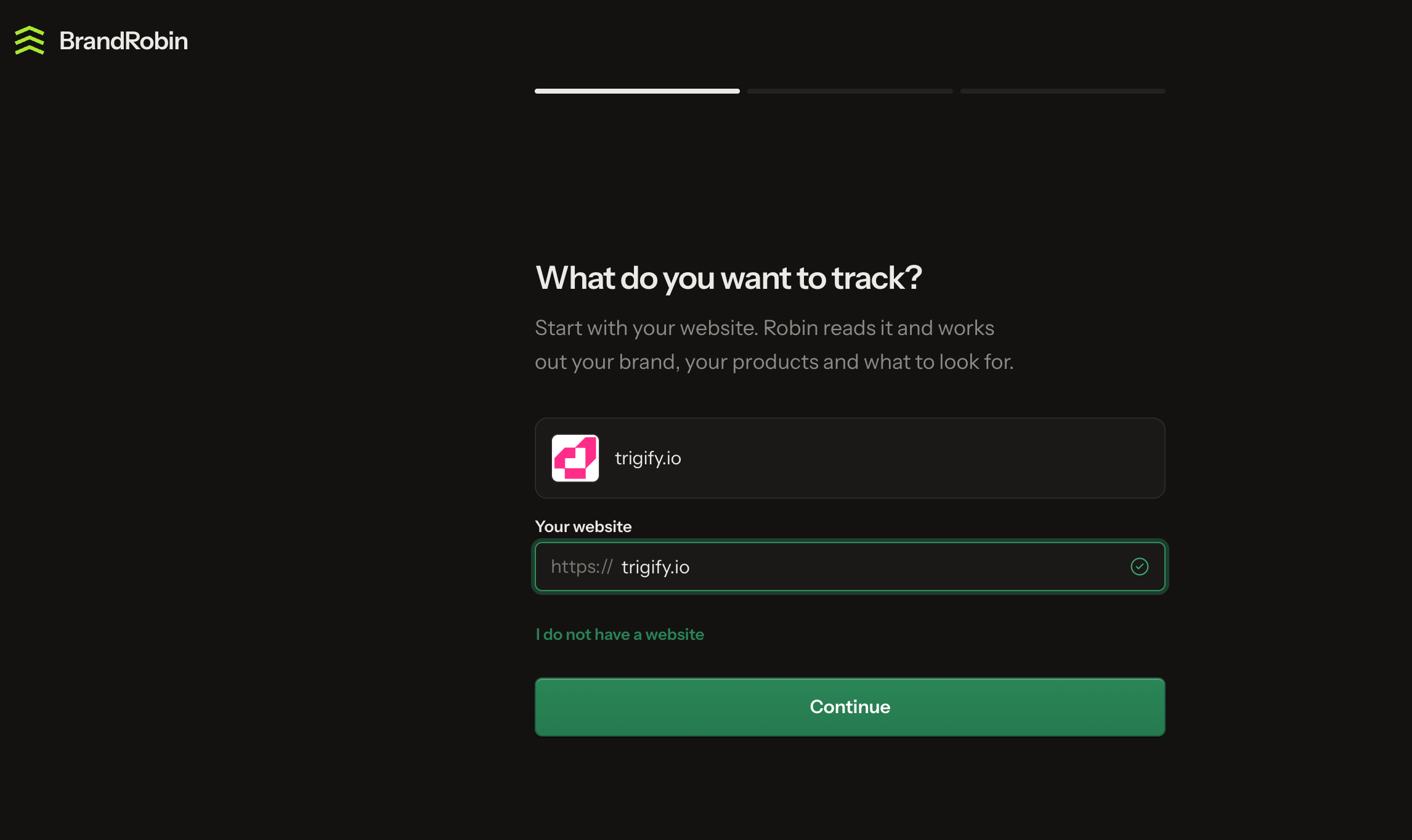
Enter your website, for example yourcompany.com.
When your logo and domain appear, click Continue.
BrandRobin reads your website to learn your brand, your products and what to look for.
Don't have a website? Click I do not have a website and add your brand name instead.
Step 3: Review your keywords
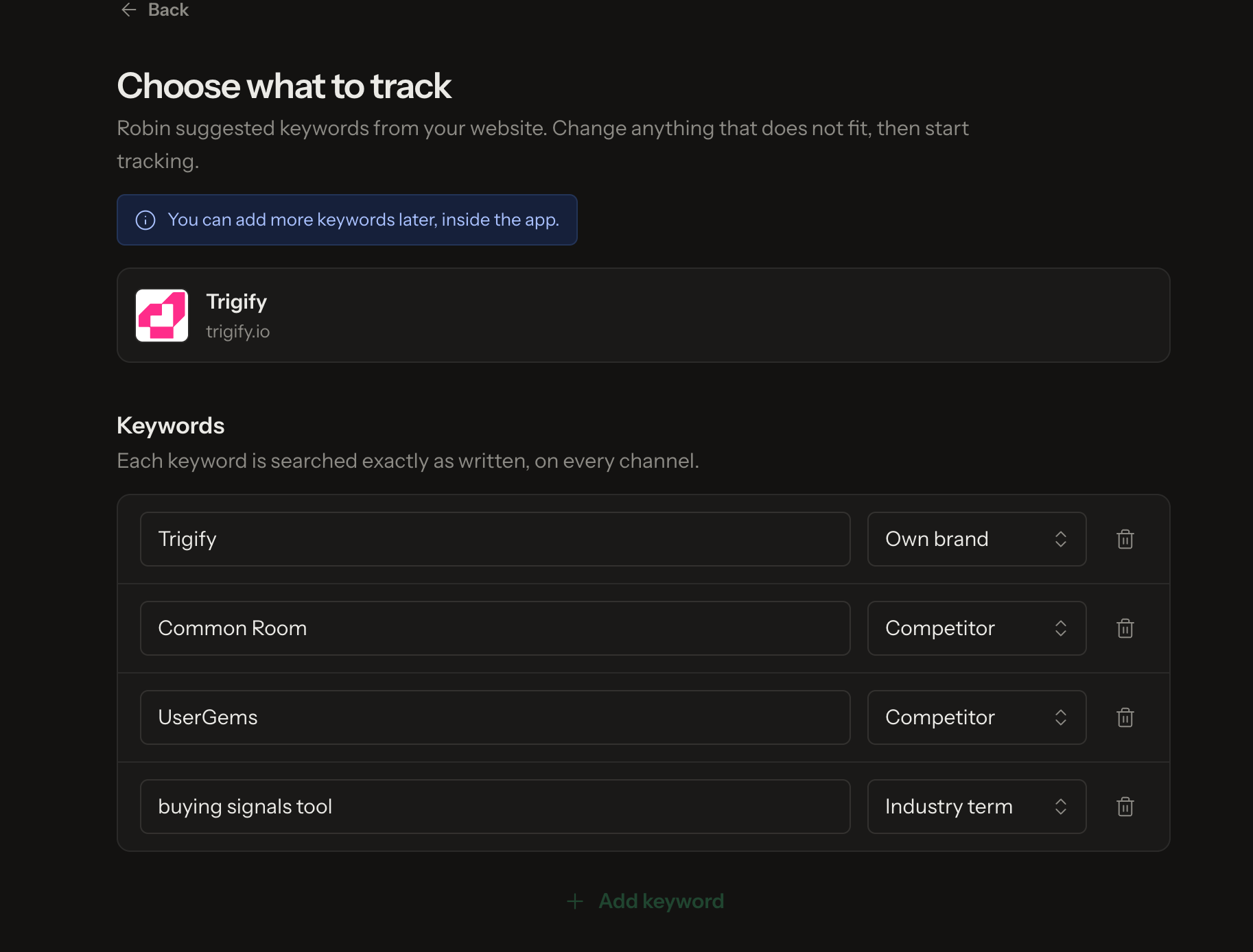
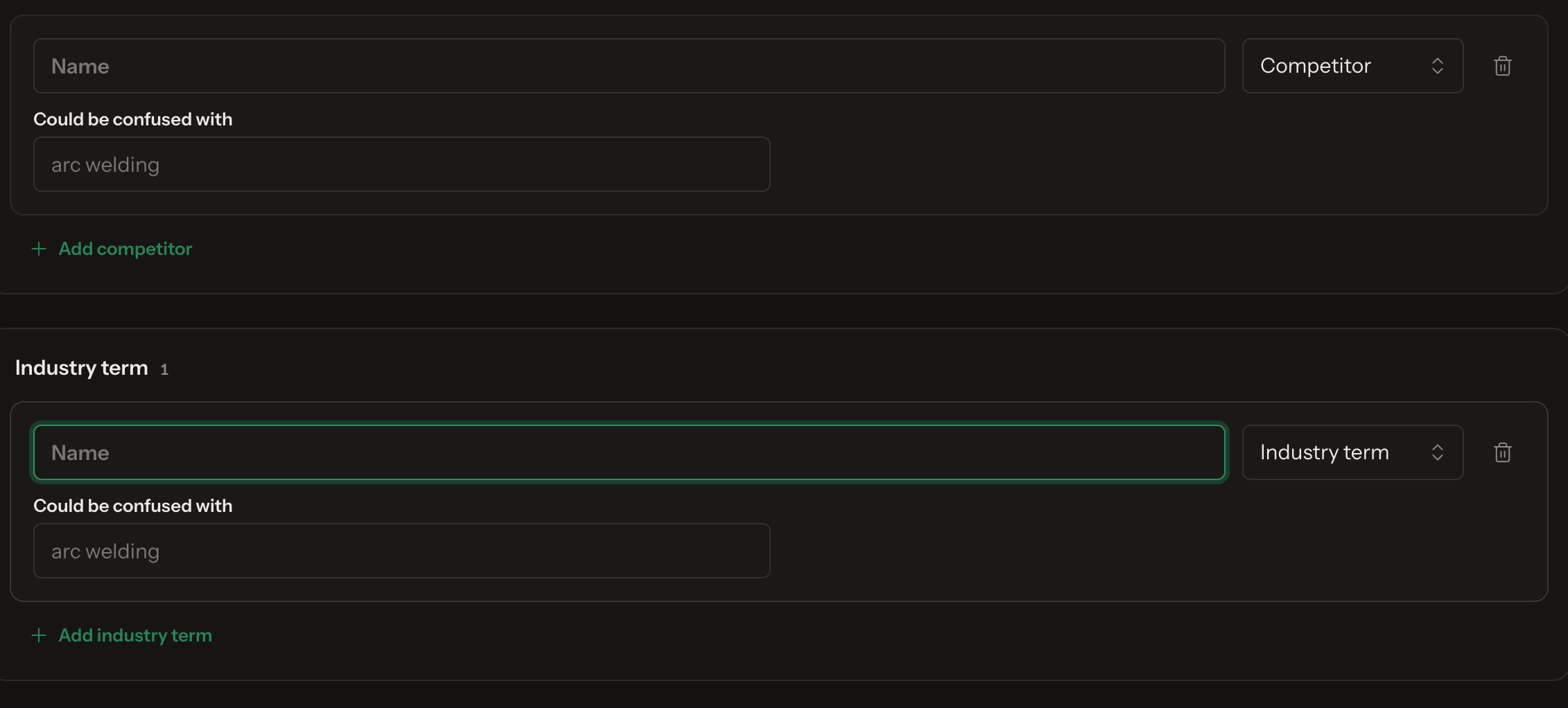
BrandRobin suggests keywords automatically from your website. Each one is tagged as:
Own brand: your company or product name
Competitor: brands you compete with
Industry term: topics your buyers talk about
Change or delete anything that doesn't fit, then continue to start tracking. Each keyword is searched exactly as written, on every channel.
Step 4: Check your Feed
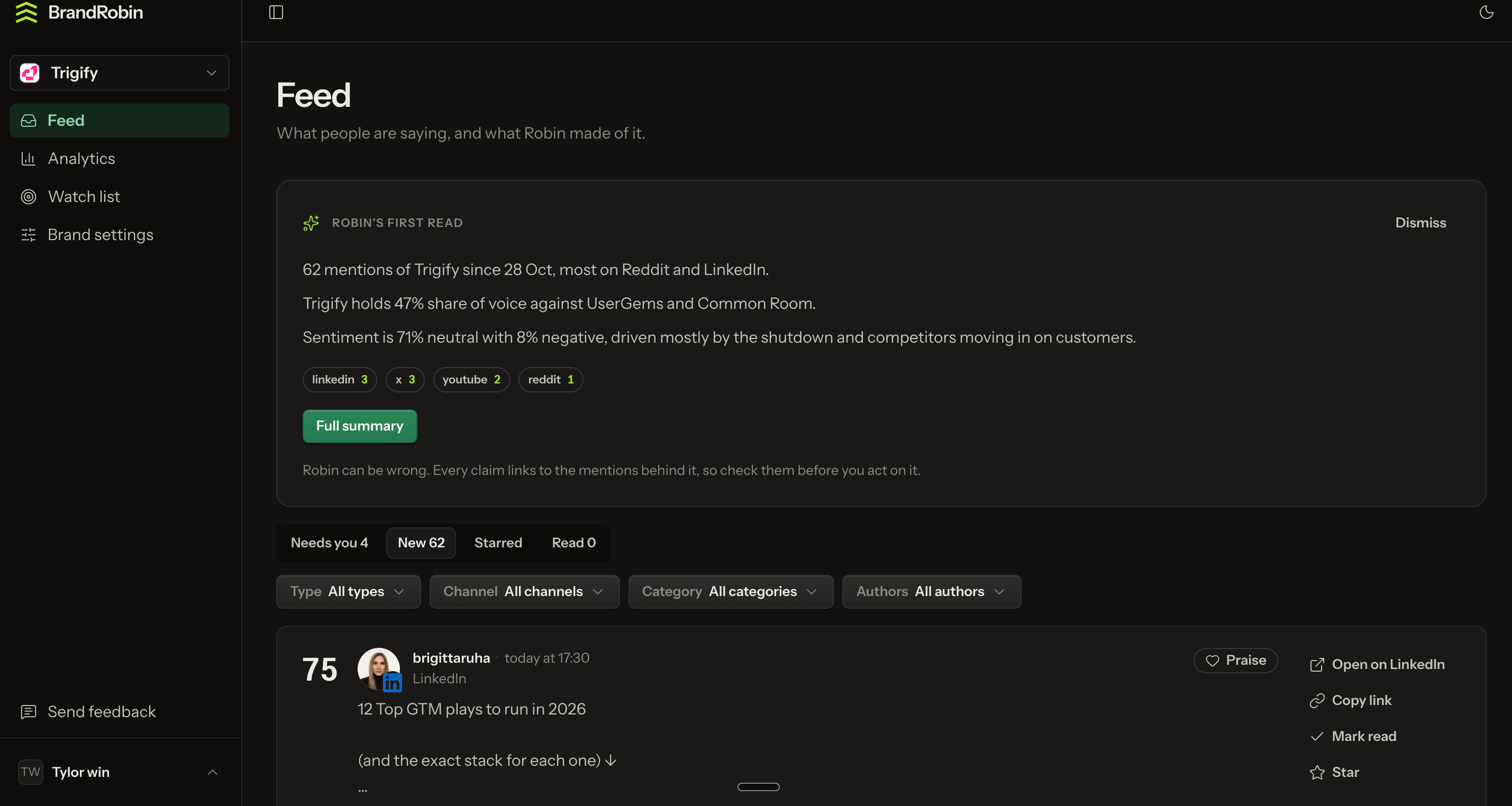
Your Feed shows every mention BrandRobin found across LinkedIn, X, YouTube, Reddit and more.
At the top, Robin's first read gives a quick summary: total mentions, your share of voice against competitors, and overall sentiment. Click Full summary for more detail.
Use the tabs to sort mentions into Needs you, New, Starred and Read. Filter by type, channel, category or author.
Adding more keywords later
Click Brand settings in the left sidebar.
Click Add competitor or Add industry term.
Enter the name.
Optional: fill in Could be confused with to filter out unrelated mentions. For example, a brand called "Arc" might add "arc welding".